




Automatically back up and recover everything on your computer
Norton Ghost helps you back up your whole hard drive – or just selected folders – to another partition, a networked drive or an external storage device.
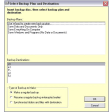
Creating backup copies in Norton Ghost is really easy. The program runs a step-by-step wizard the first time you launch it, which walks you through the process and provides you with all the available options.
You can configure as many different backup tasks in Norton Ghost as you need, each one of them with its own settings. The backup copies can be conveniently scheduled and restored at any time, should the worst happen. Of course, Norton Ghost lets you change any of these settings later on in the program’s configuration menu.
Norton Ghost can also create an exact copy of your hard drive (with all the existing files, programs and settings). When backing up the whole drive, Norton Ghost will also create a restoration point that will enable you to recover your system in case something goes horribly wrong.
As efficient and easy to use as it is, Norton Ghost requires just one thing: patience. Backup copies can take a long time, so you should probably leave the program running in the background while doing something else – or even better, schedule backups to take place when you don't need to use the PC.
Norton Ghost is a reliable, powerful and easy to use backup tool that prevents you from losing any important files in the case of a computer disaster.




.png)

















User reviews about Norton Ghost
by Krazy Kanuck
Free Download is misleading.. This is demoware. 15 day free trial, and not the full version.
by Anonymous
Very good software.
Very Very Very Very Very Very Very Very Very Very good software
by Anonymous
Norton Ghost.
Refer to computer cleaner and protector, here I have a good recommend for you: Tuneup360 and Norton system work, but the latter one is a little bit difficult. For the beginners, Tuneup360 is a good choice. More
by Anonymous
Beware if you use SATA drives.
I purchased a new SATA WD 1TB drive for my Dell desktop. The internal drive was a SATA WD 320MB drive. The first thing I discovered was that the new Dell slim case has room for only one drive. So I bought an external SATA drive enclosure for the 1TB drive. I installed Ghost 15.0 on the computer and proceeded to perform a disk copy. The copy ran for a number of hours, as expected. I have copied several drives with earlier versions of Ghost, but always on IDE drives. After copying the SATA drive, with the original drive still in place, my computer would not boot. apparently the boot cylinder was wiped out. I replaced it with the copy and had the same result.I had to do a complete new install on the new drive. The original drive was readable, so I was able to recover data file and email messages, etc. But the entire experience was very frustrating because, although I did not specifically verify that the latest version of Ghost would handle SATA drives, in my experience Norton products have never let me down. I was completely taken by surprise by the Ghost 15 screw-up. Next time I will check and be certain that whatever software I choose for copying a hard drive it will handle the type of drive I am using. Pros:
Does a fine job of backing up my hard drive, although the first backup in a new backup set runs quite slowly.
Cons:
Cannot drive copy SATA drives correctly. More
by Anonymous
One of the Best if not the Best.
Norton Ghost 12 and Acronis are the only 2 programs I found that has the capability to restore all of my data when my windows if no longer bootable.Plus it lets you save your backup in an external hard drive or CD,DVD or USB.This is useful for an hard drive failure.I recommend this programme to everyone.
Pros:
Can recover your PC when it is no longer bootable.
Includes a rescue CD
Creates an entire backup of your computer and save it in an image file
Cons:
Not Free More
by Anonymous
Back Up Data and Files -Sometimes.
With Norton Ghost 10.0 you should be able to back up the data and other files that are important to you. Do you keep your checkbook files on the computer? How about your taxes? Those precious photos of your kids cannot be left unprotected. With Norton Ghost 10.0 you can set the software to automatically back up what you want to protect for the future. There were some hiccups in installing and working this software, but when it did work, it was great.
Pros:
Backups are quick and efficient. You can create a schedule for your backups or do it on an as-needed basis. And when that dreaded recovery is imminent, there's no need to sweat. It's fairly easy with Norton Ghost 10.0
Cons:
Sometimes, the software will say that the backup failed, yet there is a mysterious block of file space taken up on your hard drive. You have to delete that block and start again. More